



Mostbet App – Download for Andoid and iOS
Welcome to official Mostbet App webpage for Bangladesh. Install the latest 7.9 version , register easily, and use mobile betting and casino in your language. The app was last updated on January 13, 2026, is available for Android and iOS, and is optimized for 3G internet connections.

Latest Version: 7.9
Size: 46,43 MB
User Rating: 4.9
Reviews: 1.3 K





Official information about the Mostbet APK
The Mostbet APK is the official installation file for Android users in Bangladesh. It allows you to install the latest version of the app manually, without waiting for Play Store updates. Before starting, make sure your phone meets the system requirements and that you’re downloading from a trusted Mostbet source.
Check the main file details beforehand to make sure your device has sufficient storage and a reliable connection. Once the download finishes, look at the file name and version to confirm you’re installing the latest build. Using Wi-Fi is recommended, as it helps avoid any breaks during installation.
Our advantages and disadvantages
Pros:
Faster navigation and smoother performance:
The app runs more efficiently than the mobile browser version, providing quicker access to features and more stable operation during active sessions.
Access to app-only offers and early updates:
Users receive special promotions and new functions earlier within the app compared to the standard website version.
Push notifications for bonuses and alerts:
The app sends instant notifications about new bonuses, account activity, and important updates, helping you react without delays.
Optimized interface for betting and casino:
The layout is adapted for smaller screens, allowing comfortable navigation across sports, live events, and casino games.
Lightweight APK and quick installation:
The installation file is compact, downloads fast, and requires minimal steps to set up on Android devices.
Cons:
Requires manual APK installation:
To install the app, users must download the APK file directly and approve installation from external sources.
Manual updates on Android:
New versions must be installed manually, as automatic updates are not available for APK files.
Unavailable in Google Play or App Store:
The app cannot be downloaded from official app marketplaces and is available only through the official website.
How to install an app on Android?
Installing the Mostbet app on Android takes just a few minutes and works even on older devices. The process includes downloading the APK file, allowing installation from your browser, and completing login or registration inside the app.
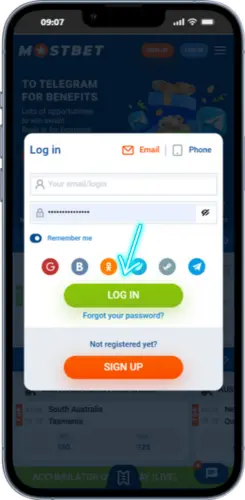
- Visit the official Mostbet website
Open the site in your mobile browser to access the Android download section.

- Log in to your account
Enter your login details to access the next steps.
- Register if you don’t have an account yet
Fill out the short sign-up form and activate your profile to proceed.
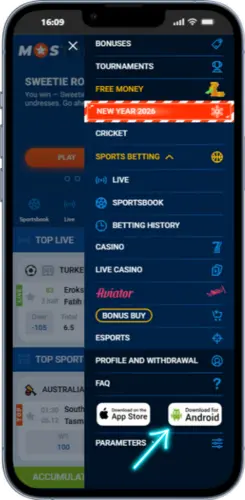
- Open the site menu
Tap the menu icon at the top of the page to reveal all sections.
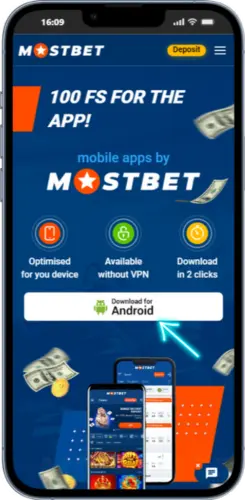
- Tap the download button
If prompted by the system, enable installation for apps downloaded from your browser.
- Select the “Downloads” option
Go to the download section where the Android APK is available.
- Allow installation from unknown sources
If prompted by the system, enable installation for apps downloaded from your browser.
- Confirm the installation
Tap “Install,” wait for the setup to finish, and launch the Mostbet app.


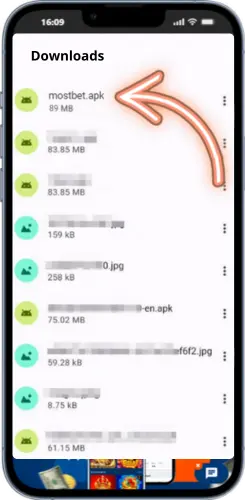
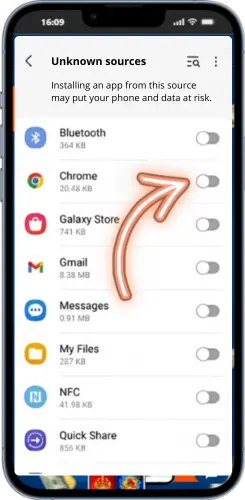
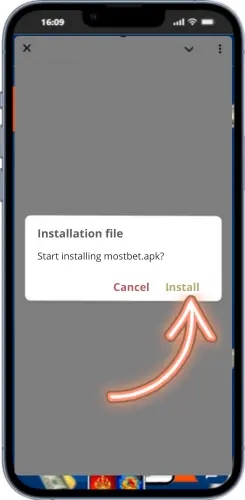
The Mostbet Android app works smoothly on many devices commonly used in Bangladesh, such as Samsung, Xiaomi, Realme, and Infinix. How well it runs mostly depends on your Android version, free RAM, and available storage. Below you’ll find a comparison of the app’s performance on different brands, along with practical tips for quicker loading, stable live betting, and lower battery consumption.
App download on iOS
Even though the official Mostbet iOS app is not yet available in the App Store for Bangladesh, players can still access the full mobile version directly through Safari. The web app provides the same clean design, language options, and fast interface optimized for iPhone and iPad.
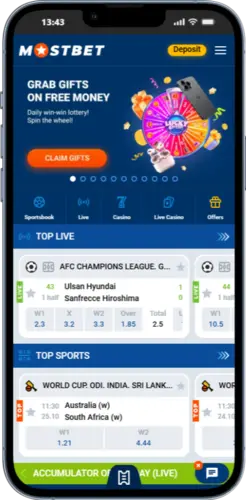
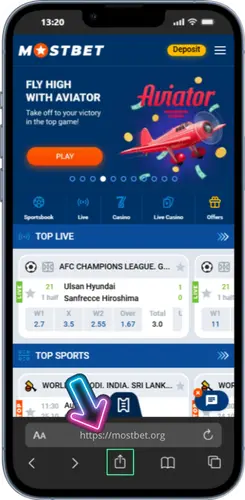
Go to the verified Mostbet domain using Safari on your iPhone or iPad.
Tap the square with an upward arrow to open the action menu.
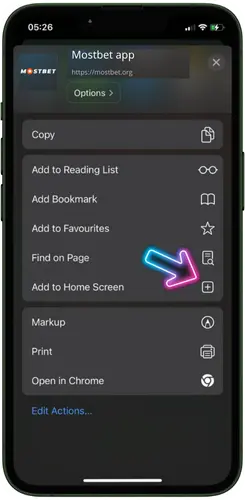
Scroll the list and choose the “Add to Home Screen” option.
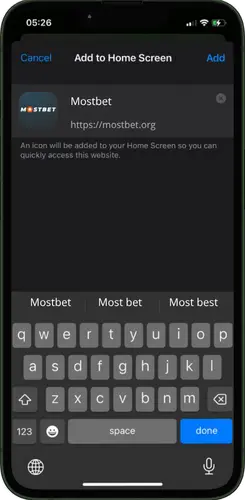
Type “Mostbet” or any name you prefer for the icon label.
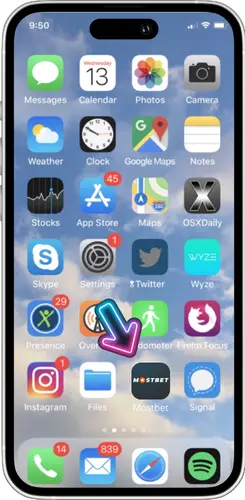
Tap the new icon to open the mobile site in full-screen mode.
To make it easier to open Mostbet anytime, you can add the site to your iOS home screen — it will look and behave like a native app with a single tap. This method doesn’t require extra storage or updates and works on all modern iOS versions.
iPhone and iPad regional settings and App Store tips
When using the Mostbet app iOS in Bangladesh, some users may notice that the download option is not visible in the App Store. This happens because the app’s availability can vary by region. iPhone and iPad owners can easily adjust their regional settings to access the correct store version and language options.
After you finish adjusting the regional settings, open Safari and check that your App Store shows the correct availability status. This step helps confirm that the Mostbet iOS app is accessible and correctly synchronized with your device’s region, without changing your Apple ID or saved preferences.
Registration Guide via the mobile app
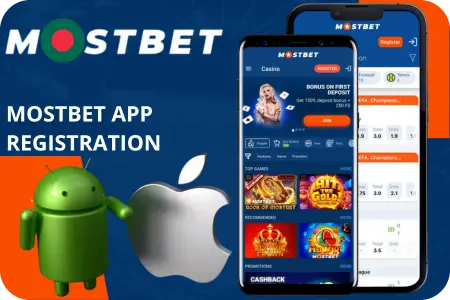
Creating an account inside the Mostbet mobile app takes just a few minutes and can be done directly on Android or iOS. The registration form is short, requiring only basic details such as your phone number, email, and password. Once you’ve completed the steps below, you’ll have full access to personalized settings, local language options, and your secure profile inside the app.
- Open the Mostbet app on your Android or iOS device and tap “Sign Up.”
- Choose your preferred method — by phone number, email, or social network (if available).
- Enter your phone number or email and create a strong password.
- Select your country (Bangladesh) and preferred language (Bangla or English).
- Add your date of birth to confirm that you’re 18 or older.
- Agree to the terms of service and tap “Register.”
- Verify your phone number via the OTP code sent to you by SMS.
After completing the verification, your account will be automatically activated, and you can log in from any device using your phone or email. For additional security, you can enable biometric login or change your password anytime from the settings menu.
App permissions and notifications in Mostbet app
The Mostbet app requests only essential permissions required for correct operation and user convenience. Below is a brief explanation of what each permission does and how to manage it safely.
- Notifications – to inform users about bet results, bonuses, and account activity. You can turn them off anytime in your phone’s system settings.
- Storage access – needed for saving temporary files such as match images, app cache, or verification documents.
- Camera – used only when scanning QR codes or uploading identity documents during account verification.
- Approximate location – helps show relevant betting events and bonuses for users in Bangladesh; the app never tracks exact coordinates.
- Network access – required to connect securely to Mostbet servers for live updates and data synchronization.
On Android, open Settings → Apps → Mostbet → Permissions to enable or disable specific options.
On iOS, go to Settings → Mostbet and manage access to notifications, camera, and location individually. Mostbet app respects user privacy — no background tracking or unnecessary data collection is performed.
Mobile app features for betting and casino
The mobile app offers fast event and slot search, a live center with real-time stats, theme and language switching (including Bangla), and offline saving of bet slips and bet history for quick access.
Find events and slots by team, league, provider, or title with instant results.
Real-time scores and match trackers for in-play decisions without delays.
Switch light/dark and choose interface language: Bangla or English.
Save your bet slip and view recent bets even when the network drops.
Bet builder and live tracking inside the app
- Create combined slips from multiple markets with instant odds updates.
- See live odds refresh in real time without reloading the page.
- Enable score-change notifications to react faster during live play.
- Update selections on the fly — add or remove legs before confirmation.
Casino lobby navigation and search filters
- Browse by providers and categories, or use the global search bar.
- Filter by volatility, mechanics, features, and popularity.
- Add favorites and jump to recently played titles in one tap.
- Clean layout with sticky controls for quick switching between tabs.
Quick bet slip editing and stake controls
- Edit stake and selections before confirmation with live odds validation.
- Round stake amounts in BDT for faster input and clear totals.
- Enable one-tap confirmation and set optional play-safe limits.
- Auto-save slip locally to recover after app restarts or connection drops.
How to update Mostbet apps to the current version
Keeping your Mostbet app up to date helps maintain stable performance, fast loading, and access to the latest betting tools and interface improvements. Updates also fix minor bugs and improve compatibility with Android and iOS devices.
- Open the app settings — go to Profile → About → Version info to see your current build number.
- Compare with the latest release — check the version displayed on the official Mostbet download page.
- For Android (APK users): download the newes .apk file and install it over the existing version — your data and login remain intact.
- For iOS users: open App Store → Account → Updates and tap Update next to Mostbet if a new version is available.
- Restart the app after installation to activate all new functions.
- Check notifications — after updating, confirm that push alerts and permissions still work correctly.
Regular updates keep the app working consistently across various devices, including Samsung, Xiaomi, Realme, and Infinix. All key functions — such as live tracking, offline history, and multilingual support — remain fully available after each update.
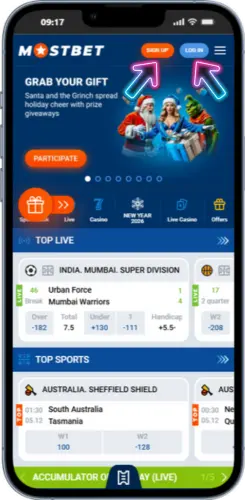
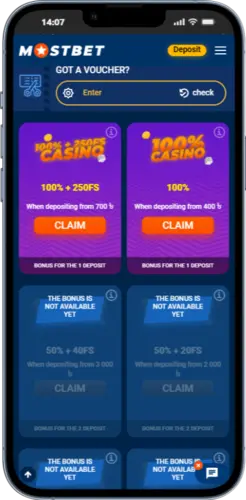
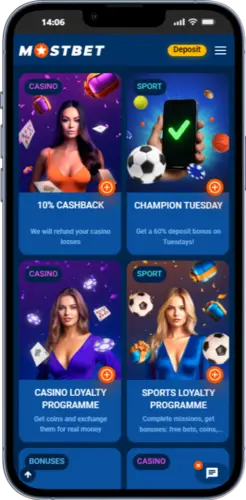
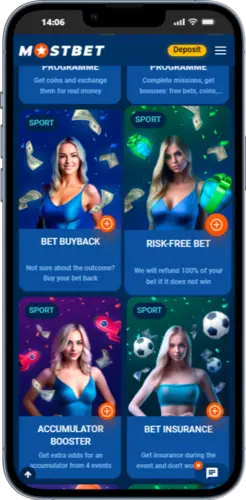
Screenshots of the official app



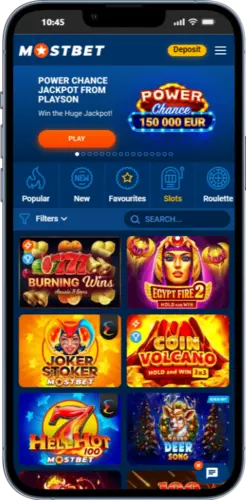


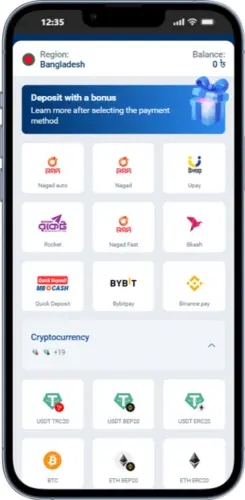



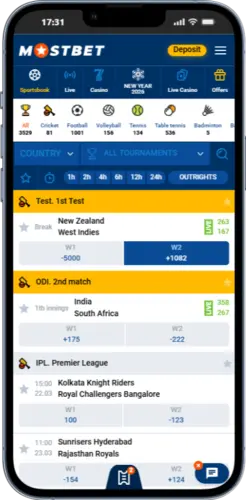
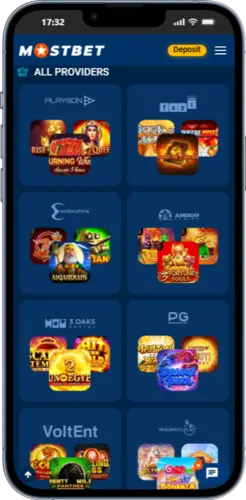


Expert’s addition:
When you use the Mostbet mobile app, it generally works more consistently than the browser version, with more stable navigation and quicker loading of betting sections and game pages. The application is built to minimize delays, give faster access to essential tools, and keep its functions available even during busy hours. In this section, we describe the technical requirements, installation steps, and important safety notes for Android users. A separate detailed review is also available, explaining the app’s functions and practical usability.
FAQ
On Android, go to Settings → Security → Install unknown apps and enable it for your browser (for example, Chrome) or File Manager. This step is needed only once when installing the Mostbet APK manually.
The file might be incomplete or corrupted. Re-download it from the official Mostbet Bangladesh website and make sure the filename ends with .apk. Avoid using third-party APK directories to stay safe.
Check your internet connection and make sure you’re using the correct phone number or email. If the problem remains, tap Forgot password to reset access via OTP or email link.
Yes, you can log in to your account on several devices, but for security reasons avoid simultaneous sessions on public networks. Each device must pass a short verification at first login.
Change your Apple ID region to Bangladesh or India in Settings → Account → Country/Region. After downloading, you can safely switch back to your previous location without affecting app performance.